Your own audio, in albums,
on endless loop. Offline.
Group the audio files on your phone, audio from Google Drive and direct links into albums. Save them once and the album keeps looping in airplane mode and with the screen off. Skip the silence and talk at either end of each track; use A-B repeat and speed control for language study.
Opens right in your browser · iPhone · Android · desktop · add it to your home screen and it works like an app
What it does
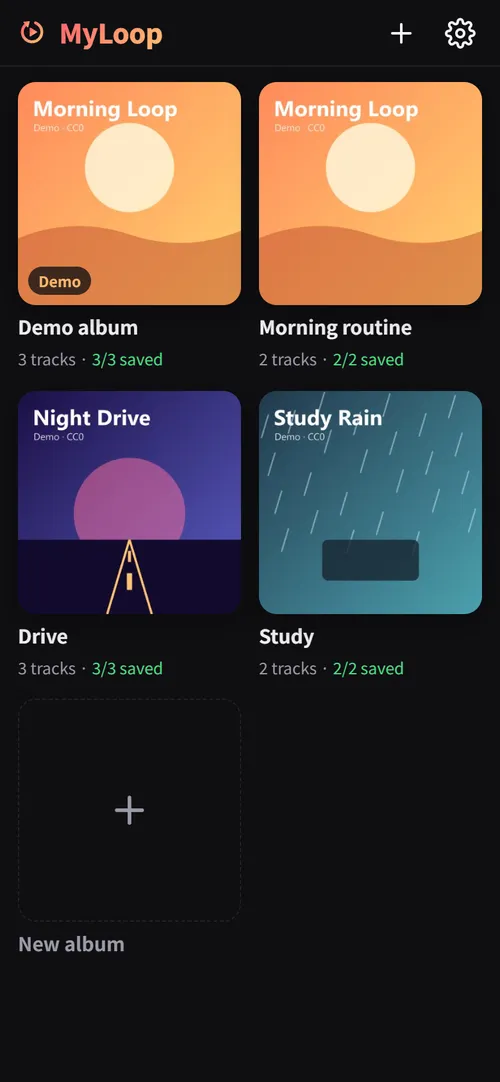
Endless album loop
When the last track ends, the album starts over. Repeat-one and shuffle too.
Skip the start and end
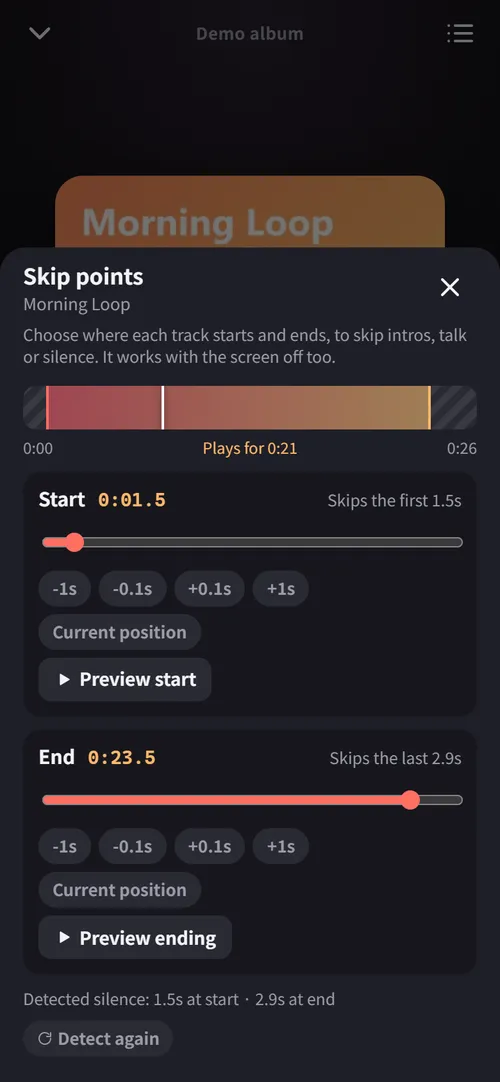
Set where each track starts and ends to skip intros, talk or applause. Pro finds leading and trailing silence for you.
Keeps going, screen off
Moves to the next track in your pocket. Control play, previous and next from the lock screen, earbuds or car.
Truly offline
Tracks are stored on your phone and play without a network. The next track is prepared in advance, so there's no gap.
Bring audio from Google Drive
Pick audio in your Drive and it goes straight into the album. The app can only see the files you pick.
iPhone ↔ Android sync
Your album list lives in a hidden app folder in your own Drive, so every device shows the same albums. No developer server involved.
Study & audiobook tools
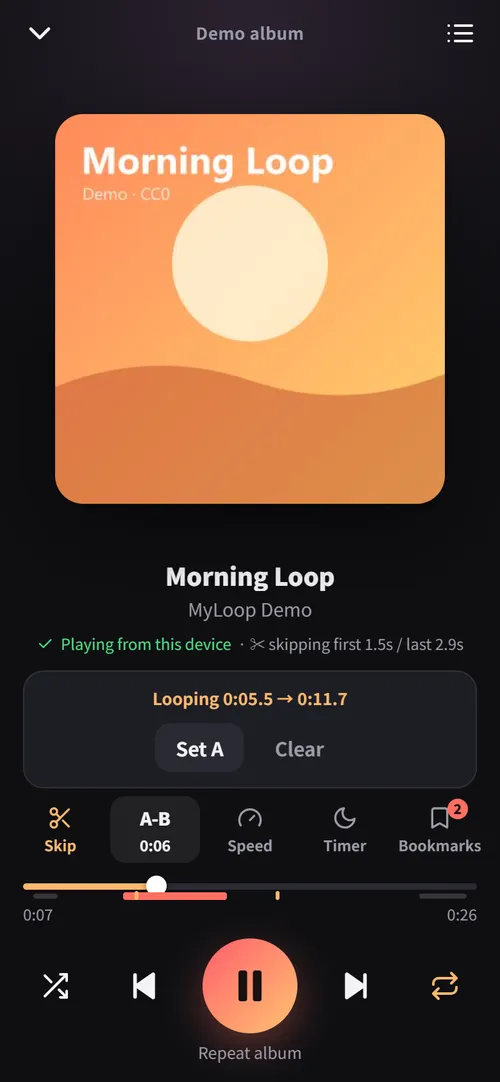
A-B repeat, 0.5–2× speed with pitch kept, bookmarks, resume long files, 15/30-second jumps, sleep timer.
No ads, tracking or subscription
No ads, no analytics, no monthly fee. Pro is a one-time purchase.
Made for
- Language course MP3s — skip the announcements, A-B repeat
- Lectures, sermons and radio recordings — resume and bookmarks
- Scripture and reading on repeat
- Kids' songs and sleep music, all night
- Workout and focus playlists
- Your own practice recordings
Screens
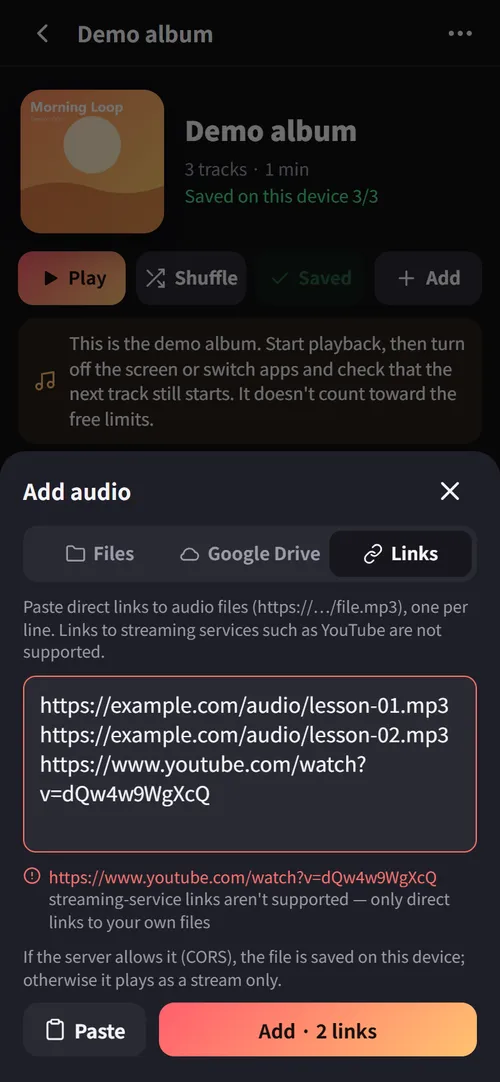
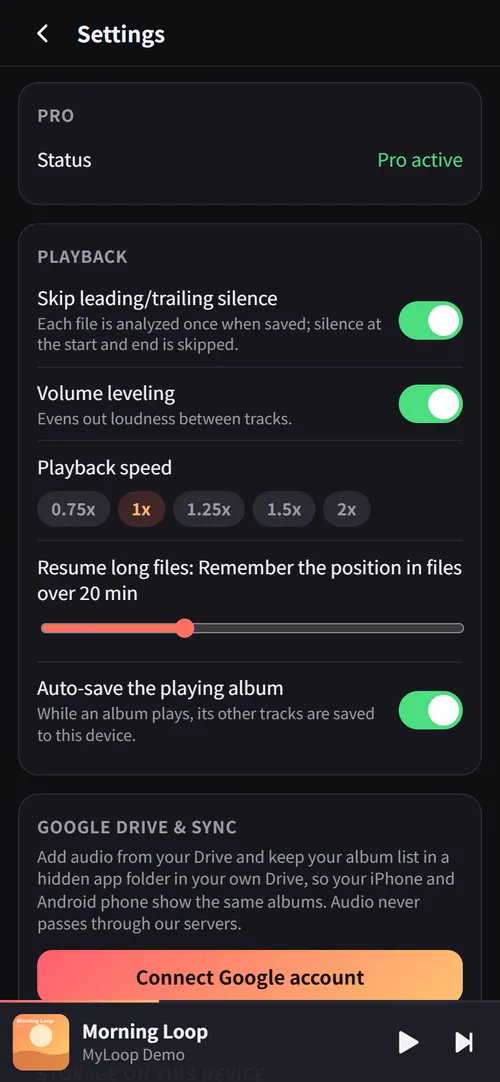
30-second check: does it keep going with the screen off?
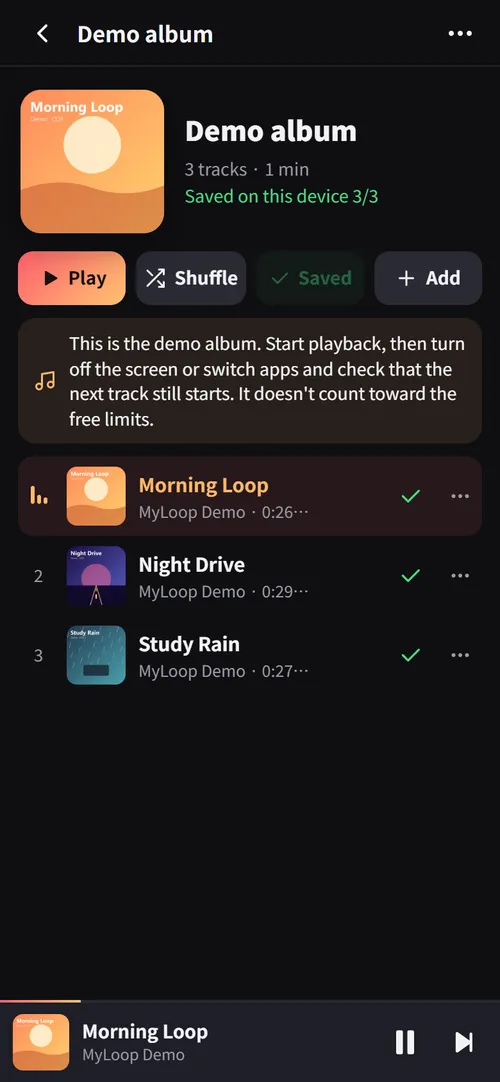
- Open the demo album. Three short original tracks are saved to this device.
- Press Play, then turn off the screen or switch to another app.
- Listen for the next track about 25 seconds later. The 1.5 s of silence before each track disappears with Pro's automatic silence skip.
Your audio never touches our servers
MyLoop has no server that receives audio. Files move only between your devices and your own Google Drive, and the app keeps them in storage on your phone.
- Files on this device (stored on the phone as soon as you pick them)
- Your Google Drive (only the files you pick, downloaded straight from Google to the phone)
- Direct links (saved if the server allows it, otherwise streamed)
- Albums, track info and audio files live in browser storage (IndexedDB)
- Playback, skip points and silence analysis all happen on the device
- Turns a Google sign-in code into a token (not stored)
- Checks a license key and returns a signed receipt (verified offline afterwards)
- Never receives or stores audio, album lists or listening history
Details in the privacy policy.
Pricing
Free
- 1 album + the demo album
- 10 tracks saved offline
- Manual skip points
- A-B repeat · 2 bookmarks per track
- Endless loop · shuffle · sleep timer
- Files · Google Drive · direct links
- Auto silence skip · volume leveling
- Speed · unlimited bookmarks
- Sync across devices
Pro
- Unlimited albums and offline tracks
- Auto-skip leading/trailing silence
- Volume leveling (Android, desktop)
- Speed · unlimited bookmarks
- Sync albums between iPhone and Android
- One key for 3 devices · free updates
Checkout is handled by Lemon Squeezy and your license key arrives by email. Enter it in the app under Settings → Pro. It's not a subscription — nothing renews.
FAQ
Is it in the App Store or Google Play?
It's a web app (PWA), not a store app. Open it in your browser and "Add to Home Screen": you get an icon and it opens full-screen like any app. No store commission means a lower price.
Can I add songs from YouTube or music services?
No. Only audio files you own and links to files that can be downloaded directly. Links to streaming services such as YouTube or Spotify are refused, and DRM-protected files can't be played.
Is my audio uploaded anywhere?
No. Files stay in storage on your phone. With Drive sync on, only the list information (album names, track titles…) is saved — in a hidden app folder in your own Drive.
What does the Google Drive permission allow?
Two things: ① reading only the files you pick in the app (drive.file) and ② storing the sync file in an app-only hidden folder (drive.appdata). The app can't see your other Drive files.
Volume leveling doesn't work on my iPhone.
iOS doesn't let web apps change playback volume, so leveling only applies on Android and desktop.
How much can I store?
As much as your browser allows — usually a large share of the free space on the device. Settings → Storage shows the usage. Installed to the home screen, storage becomes "persistent" so the browser won't clear it on its own.
Do I have to buy again on a new phone?
No. One key activates up to 3 devices, and Settings → "Deactivate on this device" frees a slot. Drive sync brings your album list to the new phone.
Does Pro stop working offline?
No. The signed receipt you get at activation is verified on the device, so Pro keeps working without a connection.
Can I get a refund?
If the license key hasn't been activated on any device yet, you get a full refund within 14 days of purchase. Once the key is activated and Pro is in use, change-of-mind refunds aren't available — but if a serious defect keeps Pro from working and support can't fix it, you get a full refund within 14 days. Please try the free version and the demo album first. Details are in the terms.